
TradeZella is an AI trading partner with no-code automated backtesting — describe your strategy rules in plain English, run them against 11+ years of data, and every result logs to your journal automatically. NinjaTrader is a futures trading platform and brokerage built for live execution. Backtesting requires C# coding through NinjaScript — there's no no-code option for discretionary traders. Here's the honest breakdown.
Updated June 2026 · Tested hands-on · Both accounts created
TradeZella is the better choice for discretionary traders who want to validate strategies without writing code. Describe your rules in plain English, run them across 11+ years of historical data, and every backtested trade logs automatically to the same journal as your live trades. Zella AI reviews every session in the background without prompting.
NinjaTrader is the better choice if you need a live futures brokerage platform with execution built in. If you write NinjaScript strategies in C#, the Strategy Analyzer runs robust automated backtests with walk-forward optimization. Order Flow+ gives futures traders volumetric bars and market depth that no other platform in this space matches.
NinjaTrader and TradeZella aren't really competing for the same trader. NinjaTrader is a live futures brokerage platform — if you need to execute real trades, it runs the whole workflow. For backtesting specifically, NinjaTrader's Strategy Analyzer is powerful but requires C# coding; discretionary traders have Market Replay but nothing that auto-journals or feeds analytics. TradeZella is built for traders who want to test strategies without coding and have every result — backtest and live — in the same analytics dashboard. If you're comparing these two for backtesting, the coding requirement is the deciding factor.
| Feature | TradeZella | NinjaTrader |
|---|---|---|
| Starting Price | $35/mo | Free (platform) + commissions / $99/mo / $1,499 lifetime |
| No-Code Backtesting | Yes — describe rules in plain English | No — all automated backtesting requires C# (NinjaScript) |
| Manual Replay | Yes — place trades as if live, auto-logs to journal | Yes — Market Replay (tick data; no auto-journal) |
| Strategy Library | Yes — pre-made strategies to test immediately | No — strategies built via NinjaScript code |
| Coding Required | No | Yes — C# for all automated strategy backtesting |
| Data History | 11+ years (from Sept 2014) | ~1 year native tick data; extended via paid third-party providers |
| Journal Integration (live trades) | Yes — 500+ brokers, true auto-sync | Basic text entries only — no custom tags, no auto-sync |
| AI / Session Analysis | Zella AI — 4 autonomous agents | AI Generate (experimental, genetic algo only) |
| ICT Indicators Built-in | Yes — FVG, Asian Range, HTF Bias, Key Levels, Power of 3 | Via third-party add-ons (not included) |
| Order Flow Tools | No | Yes — Order Flow+ (volumetric bars, market depth, delta) |
| Live Brokerage | No (analysis platform) | Yes — futures brokerage with live execution |
| Prop Firm Support | Prop Firm Sync — real funded accounts | No prop firm integration |
| Asset Classes | Stocks, Futures, Forex, Crypto | Futures (100+ natively); stocks/forex via third-party only |
| Platform | Browser-based — no download | Desktop-first; web + mobile available |
| Best For | No-code backtesting + journaling + AI, any broker | Live futures trading, coded strategy automation, order flow |
Two SaaS plans. All backtesting features on both. No commissions, no brokerage account required.
Commission-based brokerage pricing — not a SaaS subscription. The platform software is free; trading fees depend on your plan. A funded brokerage account is required to unlock Market Replay, Order Flow+, and real-time data.
NinjaTrader's pricing is commission-based — the "free" plan charges per-trade fees. Pricing comparisons between SaaS subscriptions and brokerage commission models vary significantly based on trading volume. Exchange, clearing, and NFA fees apply separately on NinjaTrader.
This is the most important question for discretionary traders comparing these two platforms — and the answer determines everything.
NinjaTrader's Strategy Analyzer is the platform's backtesting engine. It runs coded strategies automatically across historical data, with walk-forward optimization, Monte Carlo simulation, and detailed statistical output. But it only works with NinjaScript strategies written in C#. If you can't write C#, the Strategy Analyzer is not available to you at all.
NinjaTrader's Market Replay is the discretionary alternative — you replay historical market data tick-by-tick, placing simulated trades manually. It supports Level I and Level II data simultaneously, speed controls up to 1000x, and multi-market replay. For futures traders who want execution practice, it's a capable replay environment. But trades taken during Market Replay don't feed any journaling system, analytics dashboard, or strategy tracking — you get the practice, not the data.
TradeZella's no-code backtesting runs without any scripting. Describe your strategy rules in plain English — entry conditions, exit rules, risk parameters — and TradeZella runs them across 11+ years of historical data. Every trade logs automatically to the same journal and analytics dashboard as your live trades. Non-programmers get the same systematic backtesting that NinjaTrader reserves for C# developers.
TradeZella Backtesting.png)
Both platforms let you step through historical data and place trades. The difference is what happens during and after the session.
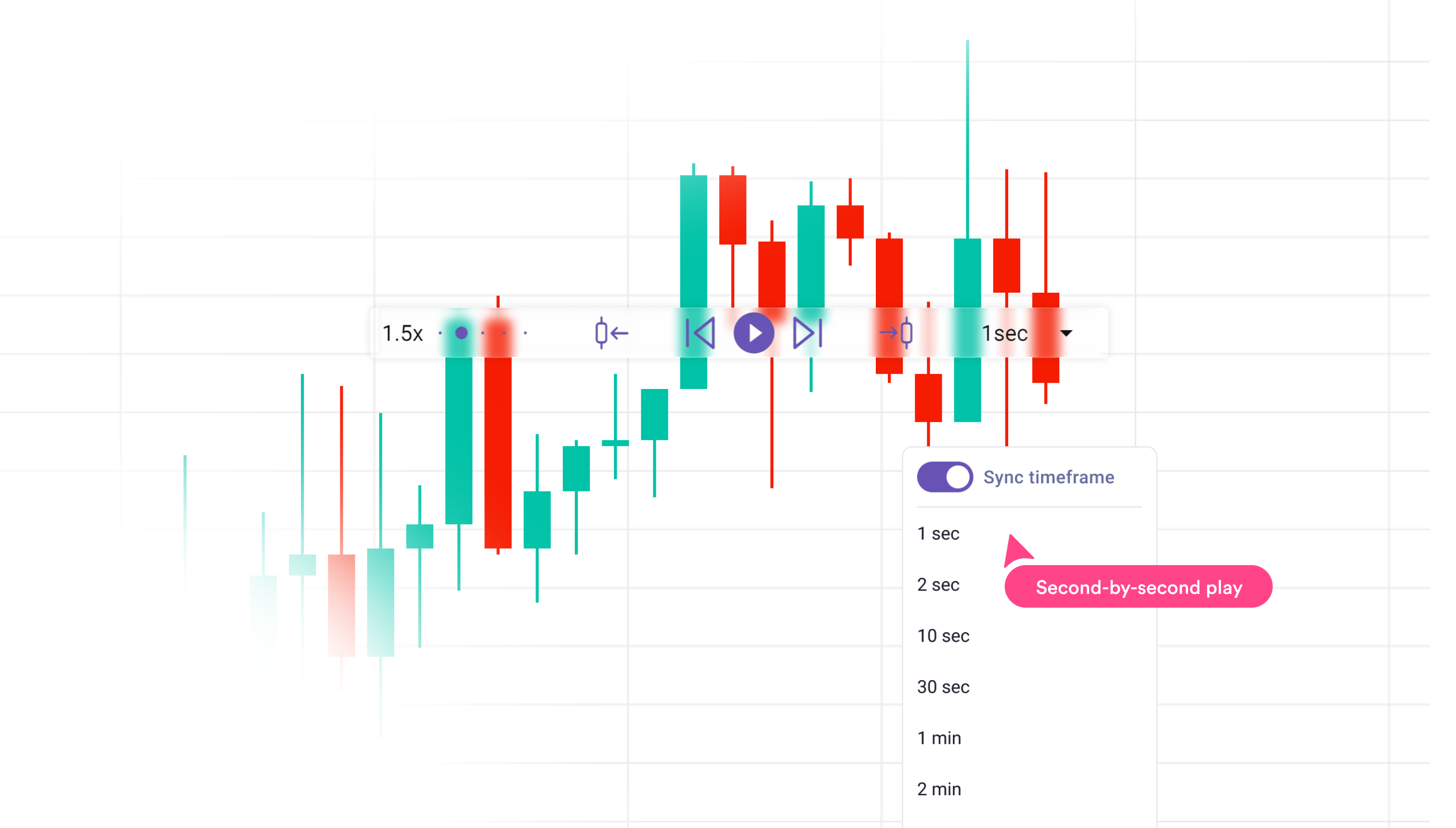
NinjaTrader Market Replay streams historical tick data across your charts exactly as it unfolded in real time. You can run it at speeds from 0.25x to 1000x, place live simulated orders, and see Level I and Level II market data simultaneously — which is genuinely useful for futures traders learning to read order flow in context. Market Replay can run across multiple instruments at once.
TradeZella's manual replay lets you place trades as if trading live — entry, stop, target, partials, scale-ins, auto-breakeven — and every trade logs automatically to your journal the moment you execute. The journal panel sits beside the chart during the session so you can tag setups, rate confidence, add screenshots, and check off strategy rules without leaving the replay interface. When the session ends, the full analytics dashboard updates automatically. None of that exists in NinjaTrader's Market Replay workflow.
TradeZella also has 11+ years of backtesting data vs. NinjaTrader's approximately one year of native tick data — extended historical data on NinjaTrader requires paid third-party data providers.
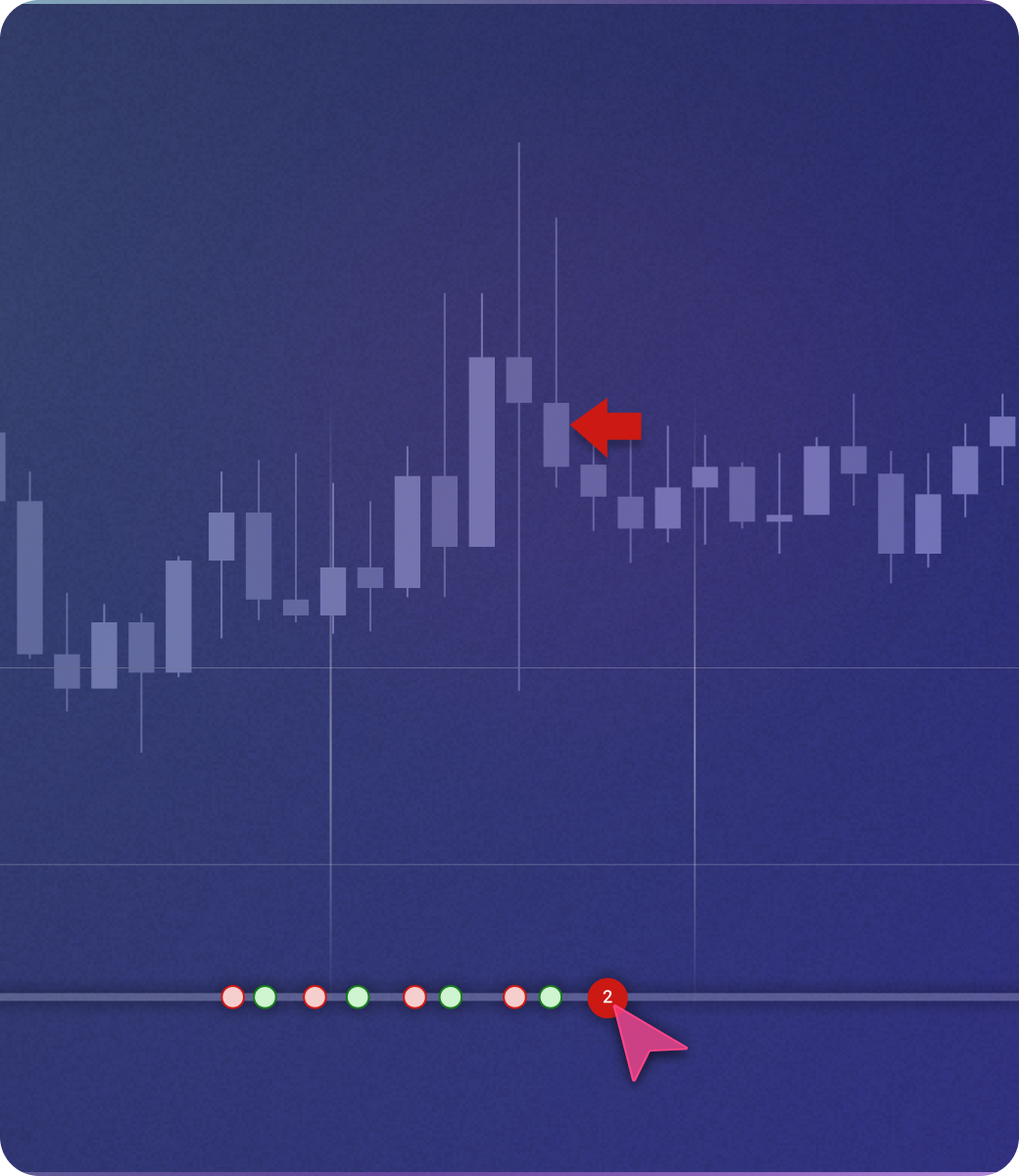
NinjaTrader's Trade Performance window shows basic statistics on executed strategies — profit factor, Sharpe ratio, drawdown, trade count. For automated NinjaScript strategies, the output is genuinely comprehensive. But for discretionary trades taken during Market Replay or live trading, journaling is limited to basic text notes. There are no custom tags, no screenshot attachments, no confidence ratings, no strategy rule checklists, and no analytics dashboard that connects journal entries to performance metrics.
TradeZella's journaling system runs across backtesting and live trading on the same platform. Every trade — whether from a backtest session or imported from your broker — gets tagged, logged, and analyzed identically. You can compare backtest performance against live performance on the same strategy, side by side. TradeZella's analytics span 7 dashboard views with performance breakdowns by session time, instrument, setup tag, day of week, trade duration, and any custom tag combination you create.
TradeZella Journal & Analytics.png)
NinjaTrader's AI Generate is an experimental feature that uses a genetic algorithm to combine up to 73 indicators and 25 candlestick patterns, searching for parameter combinations that produce profitable backtest results. It validates outputs with Monte Carlo simulation. This is a tool for algorithmic traders — it generates and tests coded strategy parameters automatically, but it requires NinjaScript strategies to run.
Zella AI is TradeZella's autonomous agent system. On Pro and Ultra, four agents run without prompting: the Auto-Tagger categorizes every trade based on rules you define in plain English. The Session Review agent compares your morning plan against actual results and journals your day. The Market Sentiment Briefing generates a personalized pre-market plan based on your instruments and trading style. All plans include Zella AI credits and weekly/monthly Zella AI reports. Memory persists across sessions — Zella AI remembers your strategies, risk rules, and preferences without re-entering them.
AI Generate is for algorithmic strategy discovery. Zella AI is for discretionary trader improvement — reviewing, tagging, briefing, and analyzing the decisions a human makes. These are different tools for different use cases.
Zella AI.png)
We built TradeZella, so we have a bias. Here's where NinjaTrader is legitimately better — and when it's the right choice.
NinjaTrader is both the platform and the broker. If you trade futures live, you place orders, manage positions, and access real-time market data all within the same software you use for Market Replay. TradeZella is analysis software only — it connects to your broker, but it is not a broker. For futures traders who want execution built into the same environment as their preparation, NinjaTrader provides that in a way TradeZella doesn't.
NinjaTrader's Order Flow+ suite is the deepest order flow tooling of any platform in this category: volumetric bars, volume profile, VWAP, cumulative delta, trade detector, and a real-time market depth map. If reading order flow is core to your strategy, NinjaTrader has tools TradeZella doesn't. This is a genuine, significant advantage for futures traders who use order flow in their decision-making.
For traders who write code, NinjaTrader's Strategy Analyzer runs NinjaScript strategies across historical data with walk-forward optimization, basket testing, and Monte Carlo simulation. The statistical output — Sharpe ratio, Sortino ratio, MAE/MFE, Ulcer Index — is institutional-grade. If you build quantitative strategies in C# and want a platform designed for that workflow, NinjaTrader is the stronger dedicated environment.
Bottom line: if you need a live futures brokerage, order flow tools, or C# strategy automation, NinjaTrader is the right choice. TradeZella becomes the clear winner when you want no-code backtesting, a journal that connects backtest to live, and AI that runs without prompting.
Describe your setup rules in plain English — entry conditions, exit rules, risk parameters — and TradeZella runs them across 11+ years of data. NinjaTrader's automated backtesting is C# only, full stop. Discretionary traders have one realistic option between these two.
TradeZella's historical data goes back to September 2014 — 11+ years across forex, futures, stocks, and crypto. NinjaTrader includes approximately one year of native tick data; extended history requires paid third-party providers on top of your plan.
Every trade in TradeZella — backtest or live — lands in the same journal. Compare your backtest win rate against your live win rate on the same strategy, side by side. NinjaTrader has no equivalent for discretionary traders.
.png)
Four agents run automatically on Pro and Ultra: Auto-Tagger, Session Review, Market Sentiment Briefing, and Automated Backtesting. NinjaTrader's AI Generate is an experimental tool for algorithmic strategy discovery — not for reviewing how a discretionary trader performed.
TradeZella connects to 500+ brokers with true auto-sync — trades import automatically. NinjaTrader is its own brokerage (primarily futures), so live trade data only flows naturally if NinjaTrader is your broker.
For no-code backtesting and journaling, TradeZella wins. NinjaTrader is a live futures brokerage and execution platform — if you need to place real trades, it runs the whole workflow. For backtesting specifically, it's powerful for C# developers but offers nothing for discretionary traders who don't code. TradeZella gives you no-code automated backtesting, true auto-sync with 500+ brokers, and Zella AI reviewing sessions automatically — without writing a single line of code.
NinjaTrader is genuinely the better choice if you're a futures trader who needs a brokerage, trades strategies in C#, or relies on Order Flow+ for volumetric bar analysis. These platforms aren't really competing for the same trader.
You want to backtest without writing code. You need results in the same journal as your live trades. You want AI that auto-tags, reviews sessions, and briefs you pre-market — without prompting it.
You need a live futures brokerage platform. You write strategies in C# and want institutional-grade backtesting. You rely on Order Flow+ tools for volumetric bars and market depth.
→ Bottom line: Use NinjaTrader if you need a futures broker or code strategies in C#. Use TradeZella if you want to backtest and journal without writing code — connected to your live trading, analyzed by AI.
We created accounts on both platforms, ran Market Replay sessions on NinjaTrader and manual + automated backtesting on TradeZella across multiple instruments (futures, forex, stocks), and documented the full setup process from signup to first completed session.
We tested no-code backtesting (TradeZella only), Market Replay (NinjaTrader), manual replay, journaling and analytics, AI features, and broker connectivity on both platforms. Pricing verified directly from ninjatrader.com before publishing.
Bias disclaimer: We built TradeZella, so we have an inherent bias. We've done our best to represent NinjaTrader's strengths accurately — including where it genuinely wins (futures brokerage, order flow, coded strategy automation). All NinjaTrader features and pricing were verified directly from ninjatrader.com before publishing.
Not for automated backtesting. NinjaTrader's Strategy Analyzer — the tool that runs strategies across historical data — requires NinjaScript strategies written in C#. There is no visual, drag-and-drop, or natural-language backtesting option. Market Replay lets you manually replay historical data and place trades, but it's a practice tool rather than a systematic backtesting engine. If you want to backtest without coding, TradeZella's no-code backtesting is the alternative.
The platform software downloads for free, but it's not free to use for most features. A funded brokerage account is required to unlock Market Replay, Order Flow+, and real-time market data. On the Free plan, you pay commissions of $1.29 per standard futures contract per side. The Monthly plan is $99/mo with lower commissions. The Lifetime plan costs $1,499 one-time. It's more accurate to say NinjaTrader's software is included with your brokerage account rather than being "free" as a standalone product.
For automated NinjaScript strategies, NinjaTrader's Trade Performance window provides detailed statistics: profit factor, Sharpe ratio, drawdown, and metrics per strategy. For discretionary trades — whether live or in Market Replay — journaling is limited to basic text entries. There are no custom tags, no setup categorization, no screenshots attached to trades, and no analytics dashboard connecting journal entries to performance patterns. TradeZella's journaling works across backtesting and live trading on the same platform.
NinjaTrader is primarily a futures platform — it supports 100+ futures contracts across CME, Eurex, ICE, and Coinbase Derivatives natively. Stocks, forex, and options are available through third-party broker connections like Interactive Brokers, but they're not built-in asset classes the way futures are. TradeZella supports forex, futures, stocks, and crypto with 11+ years of data across all asset classes on every plan.
NinjaTrader includes approximately one year of native tick data for Market Replay. Extended historical data — to go back further — requires paid third-party data providers on top of your NinjaTrader plan. TradeZella includes 11+ years of backtesting data from September 2014 across forex, futures, stocks, and crypto, with no additional data fees on either plan.
Yes — they solve different problems. Some traders use NinjaTrader as their live futures brokerage and execution platform, while using TradeZella for journaling and analytics. TradeZella connects to NinjaTrader's brokerage as one of its 500+ broker integrations, so live trades can auto-sync. The combination gives you NinjaTrader's execution depth and TradeZella's journaling, AI analysis, and backtesting capabilities together.
Describe your strategy in plain English. Run it across 11+ years of data. Every result logs to your journal automatically — connected to your live trades, analyzed by Zella AI.
Start Backtesting →