
TrendSpider's Strategy Tester uses a visual condition builder — you configure indicators and if/then rules. TradeZella lets you describe your strategy in plain English and runs it across 11+ years of data, with every result automatically logged to your trading journal. Here's the honest breakdown.
Updated June 2026 · Tested hands-on · Both accounts created

TradeZella is the better choice if you want backtesting without setting up indicator conditions: describe your setup in plain English, run it across 11+ years of data, and every trade lands in the same journal as your live trades. Zella AI reviews sessions automatically, without prompting.
TrendSpider is the better choice if charting is your primary workflow and you want backtesting layered into the same environment: auto-drawn trendlines, Fibonacci levels, a market scanner, and strategy bots that route orders via webhook. It's a charting-first platform with backtesting built in.
TrendSpider and TradeZella both offer no-code backtesting — but the approach is completely different. TrendSpider's Strategy Tester uses a visual condition builder: you configure entry conditions (SMA crossovers, candlestick patterns, indicator thresholds), exit conditions, and risk rules using a point-and-click interface. TradeZella's backtesting lets you describe your strategy in plain English — Zella AI interprets it and runs the test. Neither requires writing code, but the complexity gap is significant. TrendSpider also has no journaling — backtest results don't connect to your live trading. TradeZella journals every backtest trade identically to your live trades, on the same dashboard.
| Feature | TradeZella | TrendSpider |
|---|---|---|
| Starting Price | $35/mo (annual) | $59/mo (annual) — no free plan |
| No-Code Backtesting | Yes — describe in plain English | Yes — visual condition builder (AI-assisted) |
| Backtesting Setup | Type your strategy. Done. | Configure entry conditions, exit conditions, risk rules |
| Historical Data | 11+ years — same on every plan | 50 years headline; candle-limited by plan (2,000–30,000 candles) |
| Assets Supported | Forex, futures, stocks, crypto | Primarily stocks and crypto; limited forex/futures |
| Journal Integration | Backtest → live journal, same dashboard | No journaling feature |
| Live Broker Sync | 500+ brokers — true auto-sync | Webhook bot trading (not journal sync) |
| AI Features | Zella AI — 4 autonomous agents included | Sidekick — 25 messages free/mo, then paid add-on |
| Manual Replay | Yes — auto-logs to journal | No manual replay feature |
| Charting Tools | Standard charts | Auto-trendlines, Fibonacci, multi-timeframe analysis |
| Market Scanner | No | Yes — multi-symbol scanning |
| Free Plan | No | No — paid trial $19–$49 for 14 days |
| Plan | TradeZella | TrendSpider |
|---|---|---|
| Entry Tier (annual) | $35/mo — Essential. Full backtesting, journal, 500 Zella AI credits. | $59/mo — Standard. 2,000 candle backtesting depth. 25 Sidekick messages free. |
| Mid Tier (annual) | $59/mo — Pro. 1,500 Zella AI credits, priority support. | $99/mo — Premium. 10,000 candle depth, advanced scanner, extended backtesting. |
| Higher Tiers | Ultra — $99/mo ($74/mo annual). 3,000 Zella AI credits, 100 automated backtesting sessions/mo, unlimited brokers. | Enhanced ($122/mo), Advanced (enterprise) — deeper candle limits, more bots. |
| Trial | No free trial | Paid trial — $19 (Standard) to $49 (Advanced) for 14 days |
| AI Add-ons | Zella AI — agents on Pro & Ultra | Sidekick AI 25 free messages/mo; extended access is a separate paid add-on |
| Data Add-ons | No add-ons — all data included | Futures data ~$7.50/mo; OPRA options data ~$9.50/mo extra |
At TrendSpider's Standard plan ($59/mo), you get 2,000 candles of backtesting depth — roughly 8 years of daily data or 6 months of hourly data. Unlocking deeper history requires upgrading. At TradeZella's Essential plan ($35/mo), you get the full 11+ years of data across all timeframes with no candle limits.
Both platforms claim no-code backtesting — but what that means in practice is very different.
TrendSpider's Strategy Tester uses a visual condition builder. You define entry conditions by selecting indicators (SMA, RSI, MACD, candlestick patterns) and configuring thresholds — for example, "SMA 20 crosses above SMA 50 AND RSI is below 40." Exit conditions work the same way: you pick the exit logic using the same builder. There's an AI button that helps translate plain English into conditions, but you're still working inside a structured rule system. Each condition must map to a specific indicator or pattern the builder recognizes. Candle depth is capped by plan: 2,000 on Standard, up to 30,000 on Advanced.
TradeZella's no-code backtesting works differently. You describe your strategy in plain English — entry signal, exit rules, stop loss, position sizing — and Zella AI interprets it and runs the backtest across 11+ years of data. There are no conditions to configure, no indicator dropdowns to navigate, no rule builder to learn. The results — every trade, every tag, every metric — land automatically in your journal.
TradeZella Backtesting.png)
TrendSpider's Strategy Tester gives you summary statistics after each run: win rate, profit factor, Sharpe ratio, maximum drawdown, and a trade-by-trade breakdown. You can request that Sidekick AI analyze the results in the chat. That's where the analysis ends — there's no journal, no way to compare your backtest results against your live trading performance, and no analytics dashboard that connects the two.
TradeZella's journal captures every backtest trade identically to live trades. The same tags, the same dashboard views, the same analytics. You can compare your backtest win rate against your live win rate on the same strategy, filter by instrument, session time, setup type, or any tag combination — across backtest and live data simultaneously. When you move from backtesting a strategy to trading it live, the journal closes the loop automatically.
TrendSpider is a charting and scanning platform with backtesting built in. TradeZella is a backtesting and journaling platform with AI built in. The gap in journaling isn't an oversight — it reflects what each platform is actually for.
TradeZella Journal & Analytics.png)
TrendSpider Sidekick is a chat assistant. You ask it questions — "what's a good entry condition for this setup?" or "analyze my last backtest" — and it responds. On all plans, Sidekick gives you 25 free messages per month, after which extended access becomes a paid add-on. It can help you build Strategy Tester conditions, explain chart patterns, and provide feedback on backtest results when you ask.
Zella AI runs without prompting. On Pro and Ultra, four autonomous agents run without prompting: the Auto-Tagger categorizes every trade automatically based on rules you define in plain English. The Session Review agent compares your morning plan against your actual results and journals your day. The Market Sentiment Briefing generates a personalized pre-market plan based on your instruments and trading style. The Automated Backtesting agent runs tests in the background. All plans include Zella AI credits and weekly/monthly Zella AI reports. Zella AI has persistent memory — it remembers your strategies, risk rules, and preferences across sessions.
Sidekick helps when you ask. Zella AI acts whether you ask or not. These are different tools for different workflows.
Zella AI.png)
We built TradeZella, so we have a bias. Here's where TrendSpider is legitimately better — and when it's the right choice.
TrendSpider's charting engine automatically draws trendlines, Fibonacci levels, and support/resistance zones across multiple timeframes simultaneously — without you selecting them manually. For stock and crypto traders who use technical analysis as the foundation of every decision, this is a genuine, significant capability that TradeZella doesn't offer. If chart analysis is your core workflow, TrendSpider's tools are in a different category.
TrendSpider's scanner finds tickers matching your technical conditions across thousands of symbols in real time — the same conditions you use in your Strategy Tester. You can scan for setups, get alerts, and backtest what happens when those conditions appear historically. The combination of real-time scanner and historical strategy tester in one platform is genuinely useful for stock and crypto traders who need to find opportunities and validate them systematically.
TrendSpider's Strategy Explorer lets you browse backtested strategies built by other traders, filter by asset, win rate, and risk profile, and clone them directly into your Strategy Tester. If you don't want to build your strategy from scratch, this is a meaningful shortcut. TradeZella has a pre-made strategy library, but TrendSpider's community-driven Explorer covers a broader set of stock and crypto setups.
Bottom line: TrendSpider wins on charting, scanning, and multi-symbol strategy discovery — particularly for stock and crypto traders. TradeZella wins when you want plain-English backtesting, journaling that connects to your live trading, and AI that runs automatically without being prompted.
TradeZella's backtesting requires exactly one step: describe your strategy in plain English. No conditions to configure, no indicators to set up, no rule builder to learn. TrendSpider's Strategy Tester is visual and AI-assisted — but you're still configuring a system. The complexity gap matters for discretionary traders who think in setups, not indicator parameters.
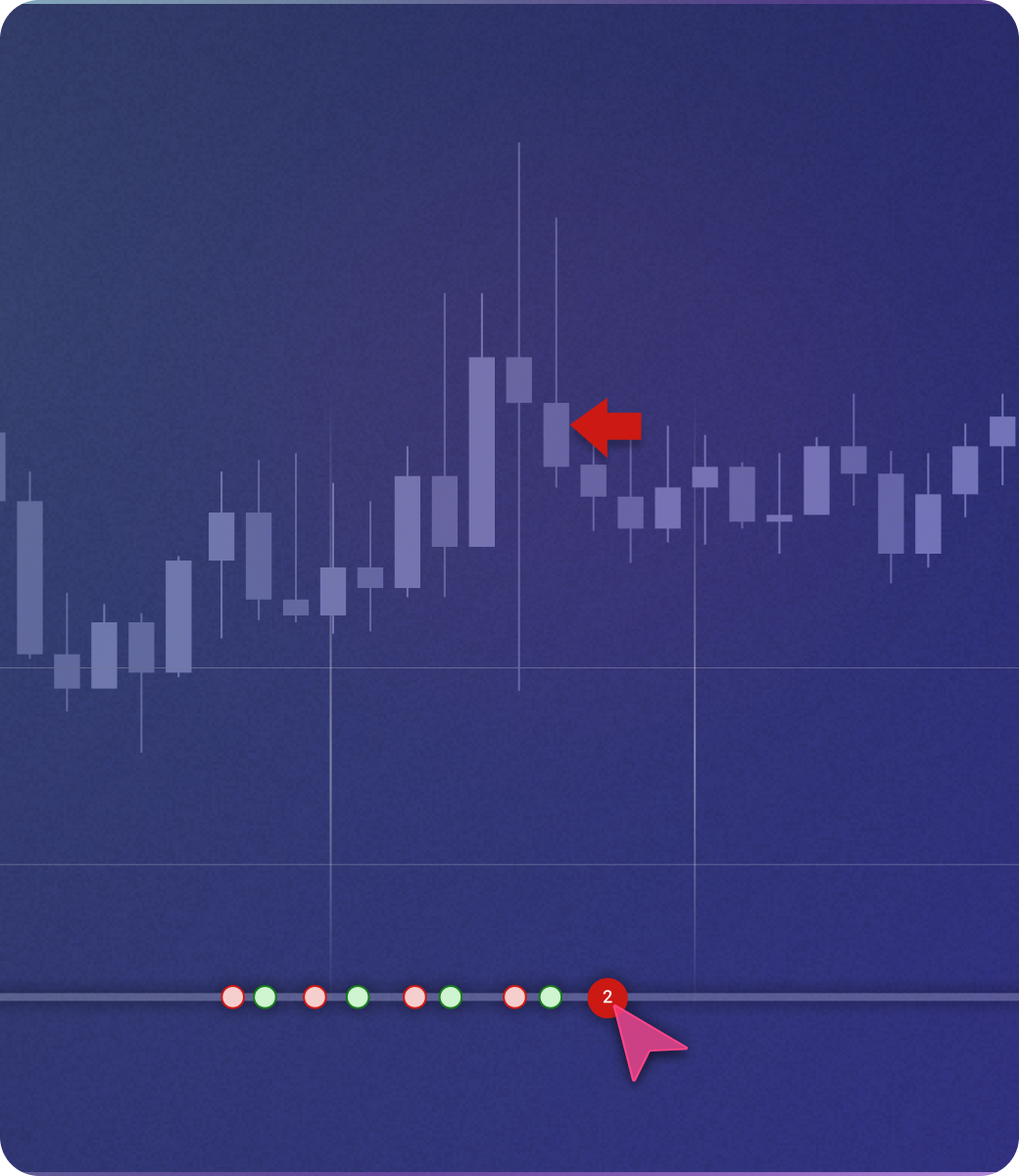
TradeZella includes manual replay: step through historical data, place trades as if live, and every trade logs automatically. TrendSpider has no manual replay feature. For traders who want to practice execution in addition to systematic backtesting, this is a complete gap.
Every TradeZella backtest trade lands in the same journal as your live trades. Compare strategy performance across backtest and live, side by side — same dashboard, same filters. TrendSpider has no journaling. When your backtest ends on TrendSpider, so does the data trail.
.png)
Auto-Tagger, Session Review, Market Sentiment Briefing, and Automated Backtesting — four agents on Pro and Ultra, all autonomous. TrendSpider's Sidekick gives you 25 free messages per month and waits to be asked. The difference: TradeZella's AI is doing work between sessions. TrendSpider's AI responds when you initiate.
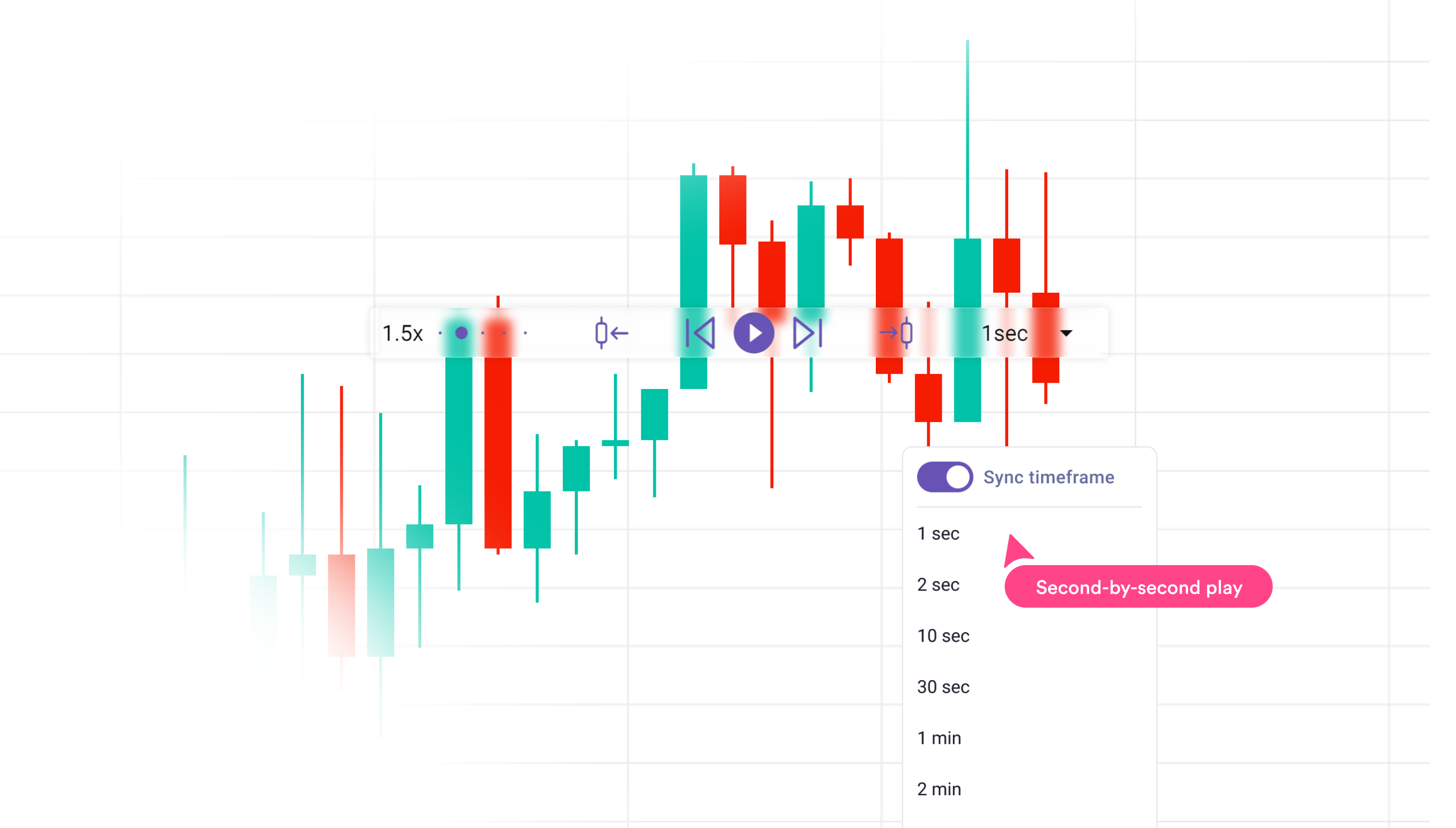
TradeZella connects to 500+ brokers with true auto-sync — your live trades import automatically and land in the same journal as your backtests. TrendSpider's broker connection is webhook-based bot execution, not journal import. If you want your live trading data in the same system as your backtesting, TradeZella is the path.
TrendSpider is a charting platform. TradeZella is a backtesting and journaling platform. The overlap is that both offer no-code strategy testing — but the purpose each serves is different enough that most traders aren't really choosing between them on equal footing. If advanced charting, auto-trendlines, multi-timeframe analysis, and stock scanning are central to your process, TrendSpider is built around those workflows. If you want to test a strategy in plain English and have every result connect to your live trading journal with AI reviewing sessions automatically, TradeZella is built around that workflow.
The pricing gap is also real: TrendSpider Standard is $59/mo (annual) and limits backtesting to 2,000 candles. TradeZella Essential is $35/mo with the full 11+ years of data. Neither has a free plan — TrendSpider's trial is paid ($19–49 for 14 days).
You want to describe your strategy in plain English and run it across 11+ years of data. You need backtest results in the same journal as your live trades. You trade forex or futures, not just stocks. You want AI agents that run automatically in the background.
You're a stock or crypto trader who needs advanced charting. Auto-trendlines, multi-timeframe analysis, and real-time scanning are central to your workflow. You want strategy bots that automate execution. Community-tested strategies in the Strategy Explorer matter to you.
→ Bottom line: Use TrendSpider if charting and scanning are your core workflow. Use TradeZella if you want plain-English backtesting connected to your journal — with AI that runs without prompting.
We created accounts on both platforms, ran Strategy Tester backtests on TrendSpider and plain-English automated backtests on TradeZella across multiple instruments (stocks, forex, futures), and documented the setup process from signup through first completed backtest on each platform.
We tested no-code backtesting setup complexity, historical data depth across plans, journaling and analytics (TradeZella only), AI features, manual replay (TradeZella only), broker connectivity, and charting tools on both platforms. Pricing verified directly from trendspider.com before publishing.
Bias disclaimer: We built TradeZella, so we have an inherent bias. We've done our best to represent TrendSpider's strengths accurately — including where it genuinely wins (charting, scanning, Strategy Explorer). All TrendSpider features and pricing were verified directly from trendspider.com before publishing.
No — TrendSpider's Strategy Tester doesn't require you to write code. It uses a visual condition builder where you configure entry and exit conditions by selecting indicators, patterns, and thresholds from a structured menu. There's also an AI button that helps translate plain-English descriptions into conditions. What it does require is understanding how to configure those conditions: selecting the right indicator, choosing parameters, and defining rule logic. TradeZella's approach is different — you describe your strategy in plain English and Zella AI interprets it directly, without configuring a builder.
No — TrendSpider does not have a trading journal. After a backtest, you get statistical output (win rate, profit factor, Sharpe ratio, trade-by-trade results) and can request that Sidekick AI analyze the performance in chat. But there's no journal that tags trades by setup, connects backtest results to live trading, or tracks performance across sessions over time. TrendSpider is a charting and scanning platform — journaling is not part of its feature set. TradeZella's journal captures every backtest trade identically to live trades, in the same analytics dashboard.
TrendSpider markets "50 years of historical data" but backtesting depth is candle-limited by plan. Standard gives you 2,000 candles — that's approximately 8 years of daily candles or roughly 6 months of hourly candles. Premium unlocks 10,000 candles; Advanced goes to 30,000. So the "50 years" figure applies to the raw data library, not to what's available on entry plans. If you want to test on shorter timeframes across multiple years, you'll need a higher plan. TradeZella includes 11+ years of data on all plans with no candle limits.
TrendSpider is primarily built for stocks and crypto. Futures data is available as a paid add-on (~$7.50/mo extra). Forex coverage is limited compared to dedicated forex platforms. The platform's charting tools, scanner, and Strategy Explorer are optimized for equity and crypto markets. TradeZella supports forex, futures, stocks, and crypto equally on all plans, with 11+ years of data across all asset classes included at no extra cost.
No — TrendSpider has no free plan. The 14-day trial is paid: $19 for Standard, $29 for Premium, $39 for Enhanced, and $49 for Advanced. After the trial, the annual pricing starts at $59/mo (Standard). TradeZella also has no free plan — paid plans start at $35/mo (annual).
Yes — they complement each other reasonably well because they solve different problems. Some traders use TrendSpider for chart analysis, scanning, and strategy discovery, then use TradeZella for journaling live trades and running plain-English backtests on the setups they find. TradeZella syncs live trades from 500+ brokers automatically, so everything you trade based on TrendSpider signals can be captured and analyzed in TradeZella without manual entry.
Describe your setup. TradeZella runs it across 11+ years of data and logs every result to the same journal as your live trades. Zella AI reviews sessions automatically.
Start Backtesting →