Best Laptops for Trading in 2026: What Every Trader Needs to Know
Best Laptops for Trading in 2026: What Every Trader Needs to Know
If you’re a day trader, prop firm trader, or just getting started in stocks, forex, crypto, or futures—your laptop is your most essential trading tool. In this guide, we break down the best laptops for stock trading in 2026 based on real trading use cases, from casual swing traders to high-performance scalpers running multiple dashboards and trade tracking systems.
class SampleComponent extends React.Component {
  // using the experimental public class field syntax below. We can also attach
  // the contextType to the current class
  static contextType = ColorContext;
  render() {
    return <Button color={this.color} />
  }
}
Last Updated: June 3, 2026
If you are serious about trading, whether stocks, options, futures, crypto, or forex, your laptop is your command center. You execute trades on it, manage risk on it, review charts on it, and journal your performance on it. A slow machine does not just waste time. It costs money.
With TradeZella running your AI trading journal in the background, Zella AI tagging every trade, reviewing every session, and generating your pre-market plan, your laptop needs to handle a broker platform, a charting tool, and TradeZella simultaneously without lag. That means the right processor, enough RAM, and a display you can actually read candlesticks on.
This guide breaks down the 7 best laptops for trading in 2026, organized by trading style and budget, so you can pick the one that matches how you actually trade.
Best Laptops for Stock Trading in 2025
1. Lenovo ThinkPad T14s Gen 6
Best for: Full-time traders who need a machine that works every single day without surprises.
Enterprise-grade build quality. Drop it in your bag, open it at 6 AM, close it at market close. It holds up.
Up to 64GB DDR5 RAM and 2TB SSD. Run your broker, TradeZella backtesting, charting platform, and a dozen browser tabs without slowdown.
HDMI + Thunderbolt 4 ports make multi-monitor setups plug-and-play. Two external screens plus the laptop display gives you three screens total.
Trusted by finance professionals and prop firm traders who cannot afford downtime during a session.
Why traders pick it: Reliability. This is the laptop that does not crash during a volatile open.
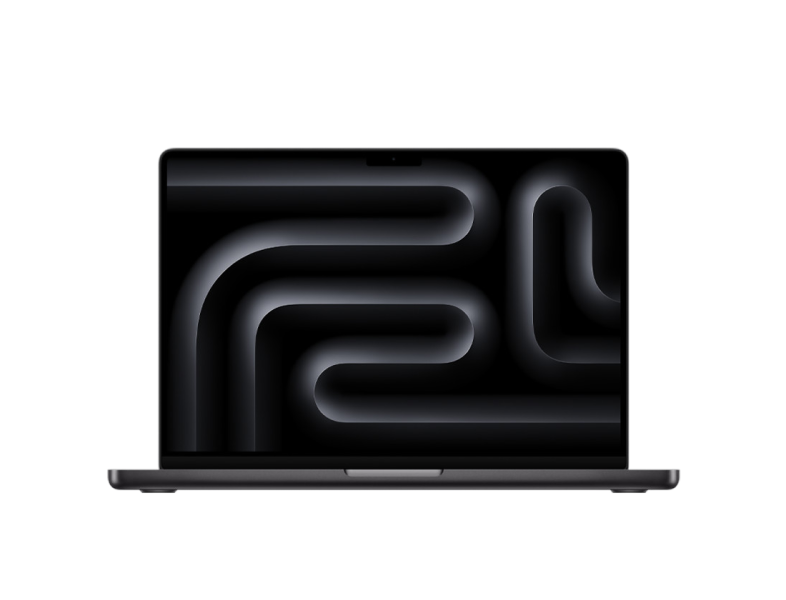
2. Apple MacBook Pro 16” (M3 / M4)
Best for: Traders who multitask heavily or already live in the Apple ecosystem.
Liquid Retina XDR display makes candlestick charts, order flow tools, and TradeZella's analytics dashboard look sharp at any zoom level.
M4 chip handles charting, video analysis, backtesting, and journaling simultaneously without the fans spinning up.
18-hour battery means you can trade a full session, review with Zella AI after close, and still have power left.
Best trackpad and keyboard in the laptop market. Matters when you are clicking through 50+ trades in your journal.
Why traders pick it: Power without noise, heat, or compromise. Premium price, premium experience.
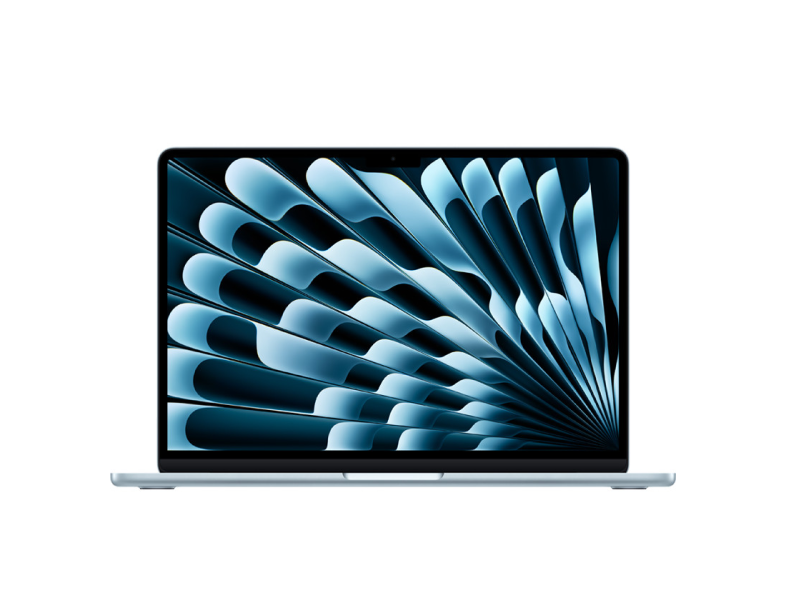
3. Apple MacBook Air 13” (M3)
Best for: Traders who move around and need a machine that goes anywhere without weighing them down.
13.6" display, fanless design, under 3 pounds. Trade from your desk, a coffee shop, or an airport.
M4 chip runs ThinkorSwim, TradingView, and TradeZella without breaking a sweat. Plenty of power for charting and journaling.
18-hour battery life. Leave the charger at home for a full trading day.
Not ideal for 3+ monitor setups or heavy backtesting with years of data, but perfect for traders who prioritize portability.
Why traders pick it: The lightest, longest-lasting option that still handles real trading software.
4. HP Pavilion Plus 14 (2026)
Best for: Budget-conscious traders who need solid performance without the premium price tag.
14th/15th gen Intel or AMD Ryzen 7 with 16GB RAM. Handles a broker platform, charting tool, and TradeZella running side by side.
Compact 14" form factor with solid battery life for trading on the go.
Under $800 at most retailers. Best value on this list for traders who just need things to work without spending $2,000+.
Why traders pick it: Gets the job done at a price that does not cut into your trading capital.
5. ASUS ROG Strix G15
Best for: Technical analysts and backtesting power users who push their hardware hard.
AMD Ryzen 9 processor, dedicated NVIDIA GPU, and aggressive cooling. This machine was built for sustained workloads.
Handles multiple chart windows, backtesting software running years of historical data, DOM ladders, and screen recording simultaneously.
15.6" high-refresh display makes scrolling through charts and trade history smooth.
Gaming laptop pricing means you get desktop-class performance at laptop prices.
Why traders pick it: Raw power for traders who run intensive tools and never want to hear "not responding."
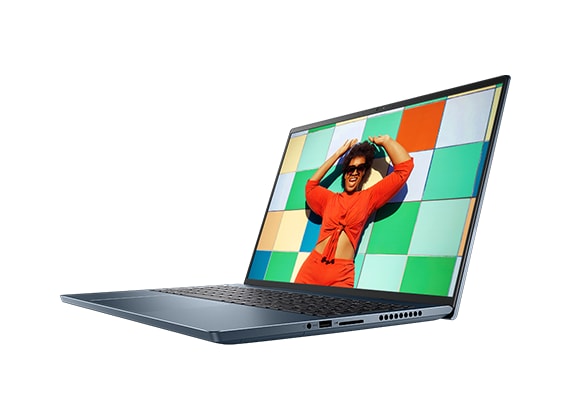
6. Dell Inspiron 16 Plus
Best for: Power users who want a big, beautiful screen with desktop-level performance in a portable package.
Intel Core Ultra 7 (16 cores) + optional NVIDIA RTX GPU for traders who also create content, run backtests, or record their sessions.
16.3" 2K or 4K OLED display. Charts, analytics, and TradeZella's P&L calendar look stunning on this screen.
Thunderbolt 4 ports for easy dual-monitor docking. One cable connects to everything.
Handles a broker, charting platform, TradeZella, YouTube, Slack, and a spreadsheet all at once without thermal throttling.
Why traders pick it: The screen. Once you trade on a 16" 4K OLED, everything else feels small.
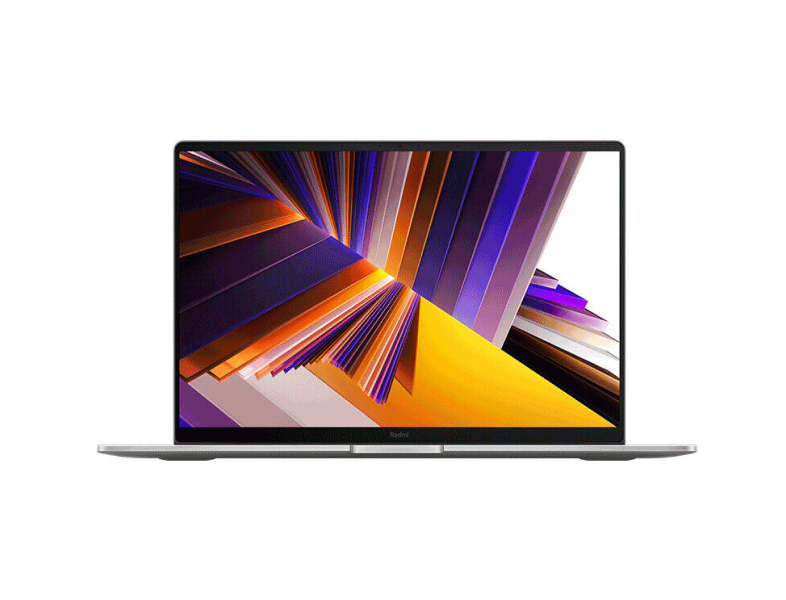
7. Xiaomi RedmiBook Pro 16
Best for: Traders who want a large screen and solid specs at the lowest possible price.
16" high-resolution display with a premium feel that punches well above its price point.
Good RAM and SSD combination for multi-app trading workflows. Broker, charts, TradeZella, and a browser all run smoothly.
Best price-to-performance ratio on this list. Ideal for newer traders building their setup without a big upfront investment.
Why traders pick it: Premium screen and build quality at budget pricing.
What to Look for in a Trading Laptop
Not every spec matters equally for trading. Here is what to prioritize:
Processor (CPU): Go with the latest generation you can afford. Intel Core Ultra, AMD Ryzen AI series, or Apple M4. Trading involves constant switching between apps, and modern processors handle that context-switching far better than chips from even two years ago. If you run TradeZella backtesting with years of historical data, CPU matters even more.
RAM: 16GB is the minimum for real trading. 8GB technically works but you will feel it the moment you open a broker, a charting platform, TradeZella with Zella AI, and a browser at the same time. 32GB+ is worth it if you backtest, record sessions, or run multiple monitors with different tools on each.
Storage: SSD is non-negotiable. 512GB works for most traders. Go 1TB+ if you save backtesting data, screen recordings, or large trade history exports.
Display: At least 1080p with good brightness. You need to read candlestick wicks, order book numbers, and small text in your trading dashboard clearly. If you trade on the laptop screen without external monitors, 15" or larger makes a noticeable difference.
Battery Life: 10+ hours if you ever trade away from a desk. Nothing worse than your laptop dying during a session.
Ports: At least one Thunderbolt or USB-C with video output for connecting external monitors. HDMI is a bonus. If you run a multi-monitor setup, check that the laptop supports your monitor count natively.
Recap: Best Laptop by Trader Type
Trading Style
Best Pick
Why
Full-time, desk-based
Lenovo ThinkPad T14s Gen 6
Reliability, multi-monitor, all-day durability
Apple ecosystem, heavy multitasker
MacBook Pro 16" M4
Power, display quality, battery, silence
Mobile, travel, on the go
MacBook Air 13" M4
Lightest, longest battery, still powerful
Budget-conscious beginner
HP Pavilion Plus 14
Best value under $800
Backtesting and technical analysis
ASUS ROG Strix G15
Raw performance, handles intensive tools
Big screen, content creator
Dell Inspiron 16 Plus
4K OLED, desktop-class power, great ports
Budget + big screen
Xiaomi RedmiBook Pro 16
Large display, solid specs, lowest price
Final Thoughts: Choosing the Best Laptop for Your Trading Setup
Whether you're a beginner seeking the best trading laptop for your first prop firm challenge or a full-time professional looking to streamline your trading workstation, your laptop is the heart of your trading setup.
You don’t need a $3,000 machine to succeed, but you do need one that matches your process. From tracking your edge in a trading journal, to managing execution speed, to running multiple apps like charting software, news feeds, and trade trackers, every second and every click matters.
A smooth system = more time analyzing setups, less time fighting lag. A consistent process = better discipline in trading and long-term growth.
The right tools support your trading psychology, structure, and strategy.
Frequently Asked Questions
Which laptop is best for trading in 2026?
It depends on your trading style and budget. For reliability and multi-monitor setups, the Lenovo ThinkPad T14s Gen 6. For Apple users who multitask, the MacBook Pro 16 inch with M4. For budget traders, the HP Pavilion Plus 14. All seven laptops on this list run trading platforms and TradeZella without issues.
Is 8GB RAM enough for trading?
Only for very light setups with one app open at a time. Real trading workflows involve a broker, a charting platform, TradeZella, and a browser running simultaneously. 16GB is the minimum for a smooth experience. 32GB gives you headroom for backtesting and recording.
How much storage do I need for trading?
512GB SSD works for most traders. Go 1TB or higher if you save backtesting sessions, screen recordings, or large data exports. SSD is non-negotiable. Do not buy a laptop with a spinning hard drive in 2026.
Do I need a dedicated GPU for trading?
Not for most traders. Charting platforms, TradeZella, and broker software all run on integrated graphics. A dedicated GPU helps if you run multiple 4K monitors, do heavy backtesting with visualization, or create trading content like video editing and streaming.
Should I get a laptop or desktop for trading?
Laptops win on flexibility. You can trade from anywhere and take your entire setup with you. Desktops win on raw power and multi-monitor support at a lower price. If you trade from one location with three or more monitors, consider a desktop or a laptop with a docking station that gives you both.