Best Trading Trackers: Monitor Performance Across All Your Accounts
Best Trading Trackers: Monitor Performance Across All Your Accounts
Choosing a trading tracker comes down to four things: how trades get into the system, what the analytics reveal, how many accounts you can connect, and what it costs. This comparison evaluates five trackers on those criteria so you can pick the right one for how you trade.
class SampleComponent extends React.Component {
  // using the experimental public class field syntax below. We can also attach
  // the contextType to the current class
  static contextType = ColorContext;
  render() {
    return <Button color={this.color} />
  }
}
Last Updated: July 13, 2026
A trading tracker is software that records your trades, calculates performance metrics, and shows you patterns in your results over time. The best trading trackers in 2026 go beyond basic record-keeping: they auto-import trades from your broker, calculate metrics like win rate, profit factor, and expectancy, and let you filter analytics by strategy, time of day, ticker, and custom tags. This comparison evaluates five trackers on the criteria that matter most: import automation, analytics depth, multi-account support, and pricing.
A trading tracker that actually helps you improve needs to do three things well: import your trades automatically so nothing gets missed, show you analytics that reveal patterns you cannot see on your own, and handle multiple accounts without forcing you to juggle spreadsheets. Most traders start with a spreadsheet, realize it breaks at scale, and then spend weeks researching alternatives. This guide saves you that time.
Our Commitment to Transparency
We built TradeZella to be the tool we wanted to use, and 100,000+ traders use it today. But we recognize different traders have different needs. Here is our honest assessment of the landscape.
TL;DR
TradeZella is best for active traders who want 500+ broker auto-imports, 50+ analytics reports, Prop Firm Sync, backtesting (both automated and manual), trade replay, and Zella AI in one platform, starting at $35/month. Tradervue is a reliable veteran with community sharing and a free tier (30 trades/month). TradesViz is the best budget option with a generous free tier (3,000 executions/month) and strong MetaTrader support. Edgewonk is best for psychology-focused traders with Tiltmeter tracking and automated imports at $197/year. Spreadsheets work for fewer than 5 trades per week but break at any real volume.
Tracker
Auto-Import
Analytics Depth
Multi-Account
Extras
Pricing
TradeZella
500+ brokers
50+ reports, Strategies, tags, time-of-day
Unlimited (Pro) + Prop Firm Sync
Replay, Backtesting (11+ yrs), Notebook, Progress Tracker, Zella University Calendar
$35-99/mo
Tradervue
API from major brokers
Solid core metrics, exit analysis (Gold)
Multiple brokers, no unified dashboard
Community sharing, mentoring
Free-$49.95/mo
TradesViz
CSV + some API (growing)
Good forex analytics, tag filtering
Paid plans only
MT4/MT5 integration, generous free tier
Free-$29.99/mo
Edgewonk
CSV only (manual)
Solid + psych tracking (Tilt Meter)
No
Emotional tracking, trade management scoring
$197/yr
Spreadsheets
None (fully manual)
Only what you build
Manual tabs per account
Full customization, you own data
Free
What Makes a Good Trading Tracker?
Before comparing specific tools, here is what separates a useful tracker from a glorified spreadsheet:
Automated trade import. If you are manually entering trades, you will eventually stop. It takes 2 to 3 minutes per trade to log entry, exit, size, commissions, and timestamps by hand. At 5 trades per day, that is 50 to 75 minutes of data entry per week. Auto-import from your broker eliminates this entirely. The tracker pulls your fills, commissions, and timestamps the moment you connect your account.
Multi-dimensional analytics. A tracker that only shows total P&L is not a tracker. It is a bank statement. You need analytics filtered by strategy, time of day, ticker, day of week, trade duration, and custom tags. This is how you find patterns. Maybe your morning trades are profitable but your afternoon trades lose money. Maybe your breakout strategy works but your mean reversion strategy does not. You cannot see this without dimensional filtering, and this is the foundation of a proper trade review process.
Multi-account support. Many active traders run more than one account. A personal account, a prop firm account, maybe a second prop firm account. If your tracker cannot consolidate these into one dashboard, you are blind to your total exposure and your aggregate performance. This is especially critical for risk management, where correlated positions across accounts can multiply your actual risk beyond what any single account shows.
Custom tagging. The ability to tag trades with your own labels is what turns a log into a learning tool. Tags like "Rules Followed," "FOMO Entry," "A+ Setup," and "Revenge Trade" let you track trading habits and measure trading discipline with data instead of feelings.
Journal and notes. Numbers tell you what happened. Notes tell you why. The best trackers let you attach notes, screenshots, and reflections to individual trades so you can review context alongside performance.
What Are the Best Trading Trackers for 2026?
1. TradeZella
Best for: Active day traders, swing traders, prop firm traders, and anyone who wants deep analytics with minimal manual effort.
TradeZella auto-imports trades from over 500 brokers, including Interactive Brokers, TD Ameritrade, Tradovate, NinjaTrader, Webull, and most major platforms. Once connected, every trade, including entry, exit, position size, commissions, and timestamps, lands in your dashboard automatically. There is nothing to type, paste, or upload.
The analytics go deeper than any other tracker on this list. Over 50 built-in reports cover every dimension: profit factor, R-multiple, time-of-day performance, day-of-week patterns, trade duration analysis, ticker breakdown, and strategy-specific filtering through the Strategies feature. You can define a strategy with specific entry rules and then track how that strategy performs independently of everything else in your account.
Multi-account support is built in. Connect your personal brokerage, your prop firm account, and any additional accounts into one dashboard. Prop Firm Sync pulls trades from prop firm platforms automatically and tracks each account's drawdown and consistency rules separately. If you are running multiple funded accounts, this is the only tracker that consolidates them without manual work. For context on why this matters, see our guide on prop firm trading journals.
Additional features: Trade Replay (Pro plan) lets you walk through historical charts bar by bar. Backtesting covers 11 or more years of data across stocks, futures, and forex, so you can backtest trading strategies without leaving the platform. Notebook stores your trade notes, plan changes, and reflections. Calendar view shows daily P&L at a glance. Custom tags let you track anything: setup quality, emotional state, rule adherence, market conditions.
What it does not have: No free tier.
Pricing: Essential plan at $35/month ($26/month billed annually). Pro plan at $59/month ($44/month annually) and Ultra plan at $99/month ($74/month annually).
2. Tradervue
Best for: Experienced traders who want community features and sharing alongside their analytics.
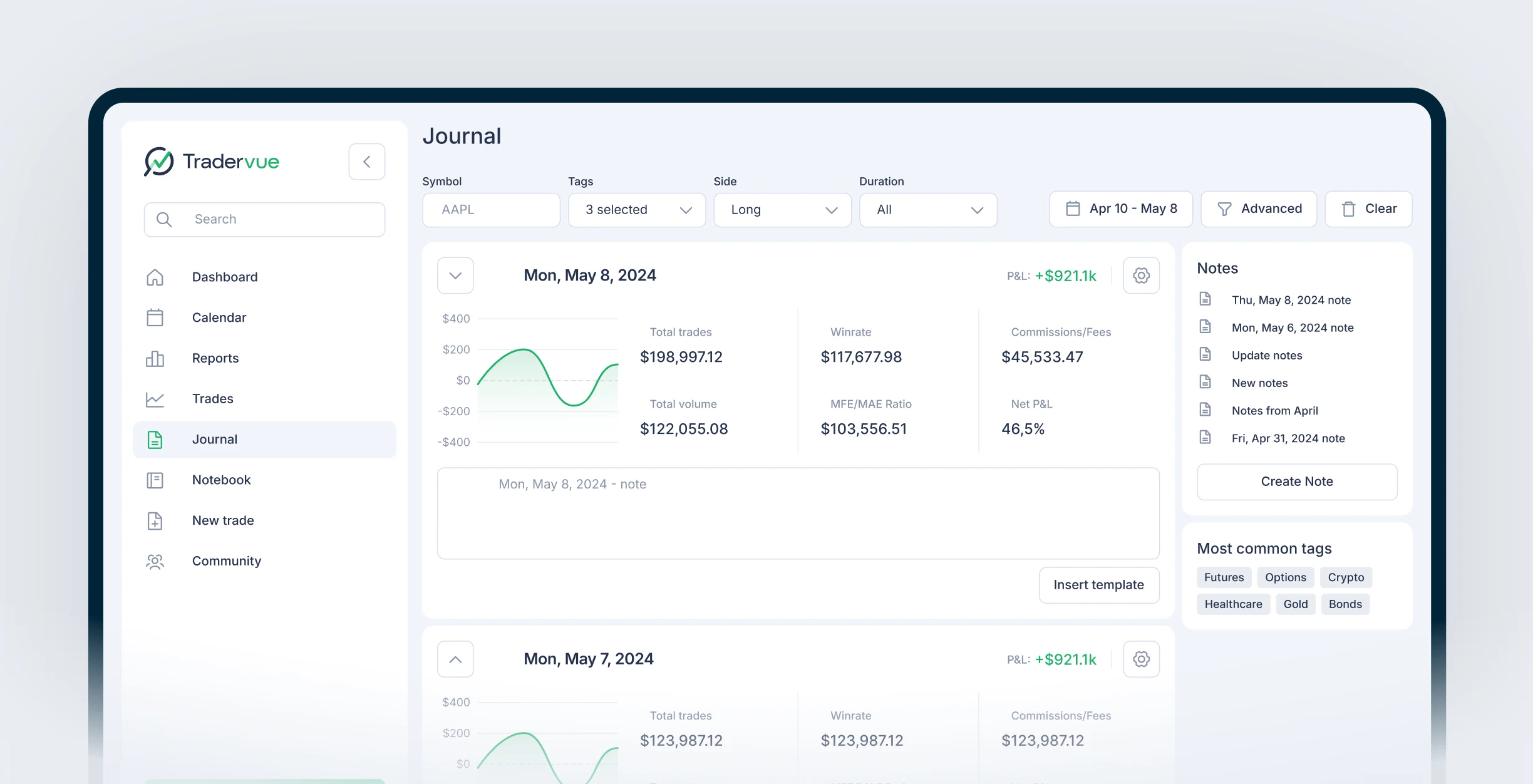
Tradervue has been around since 2011, making it one of the oldest dedicated trading trackers. It imports trades via API from major brokers and supports CSV upload for others. The analytics are clean and cover the core metrics: win rate, P&L by day, holding time analysis, and tag-based filtering.
The standout feature is the community. You can share trades publicly or with a group, which is useful if you have a mentor or trade in a group chat. The sharing feature is something no other tracker on this list offers at the same level.
Limitations: The interface has not been significantly redesigned in years and feels dated compared to newer tools. The free tier only allows 30 stock/ETF trades per month, which most active traders will exceed in a single day. Forex, options, and futures require the Silver plan. Analytics depth is solid but not as granular as TradeZella. No backtesting, no replay, no prop firm sync.
Pricing: Free (30 trades/month, stocks and ETFs only), Silver at $29.95/month (unlimited trades, all asset classes), Gold at $49.95/month (advanced reports, exit analysis, risk tracking). No annual discount.
3. TradesViz
Best for: Forex and MT4/MT5 traders on a budget who need solid analytics without a high monthly cost.
TradesViz has strong MetaTrader integration, making it a natural fit for forex traders using MT4 or MT5. CSV import handles most brokers, and the platform has been adding direct API integrations in 2026, though the auto-import broker list is still smaller than TradeZella's.
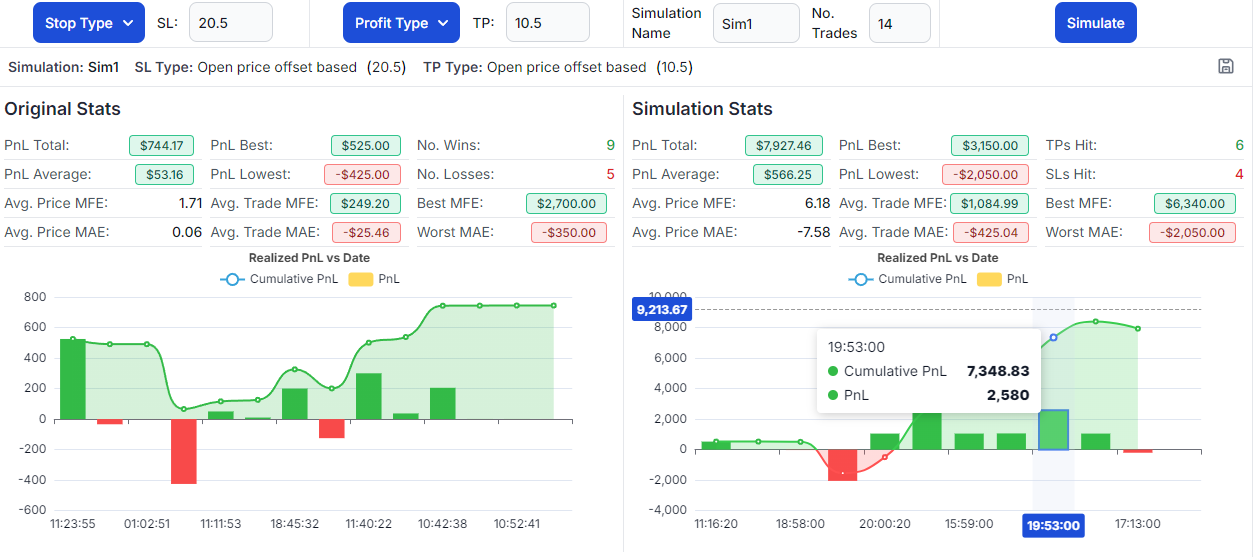
The analytics are good for the price. You get P&L charts, trade duration analysis, day-of-week patterns, and filtering by strategy and tags. The free tier is generous: 3,000 executions per month and one account, which covers many forex traders entirely.
Limitations: The free plan is limited to stocks only. Multi-account support requires a paid plan. The interface is functional but less polished than TradeZella. No built-in backtesting or replay. The analytics, while good, do not reach the 50-plus report depth that TradeZella offers.
Pricing: Free (3,000 executions/month, 1 account, stocks only), Pro at $19.99/month ($125/year), Platinum at $29.99/month. Annual Pro saves roughly 48 percent.
4. Edgewonk
Best for: Traders who want psychological tracking built into their journal alongside performance analytics.
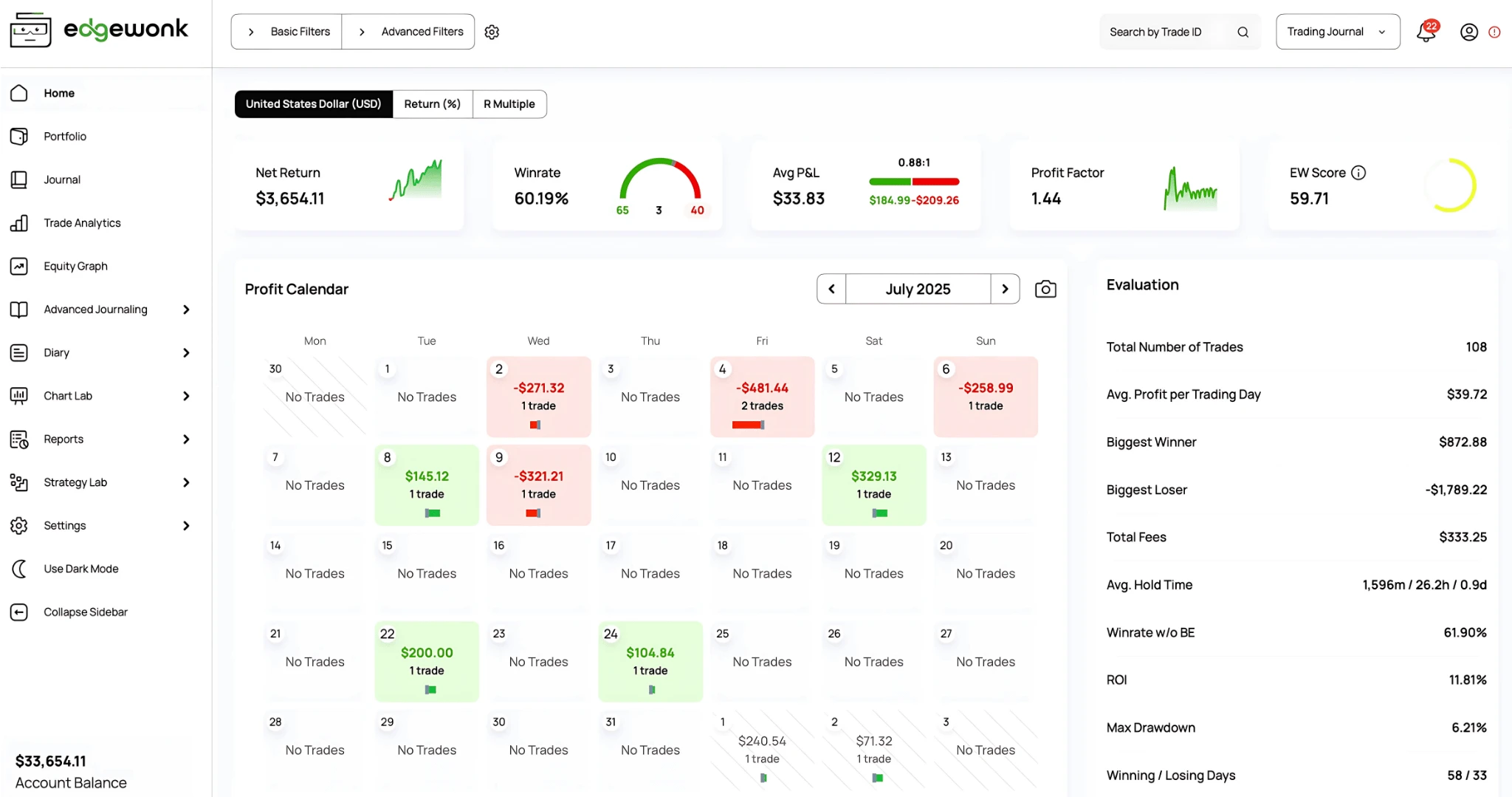
Edgewonk focuses heavily on the psychological side of trading. It tracks emotions, discipline, and behavioral patterns alongside standard performance metrics. Features like the "Tilt Meter" and trade management scoring give you data on how your mental state affects your results.
Important update for 2026: Edgewonk previously offered a one-time purchase around $170. As of 2026, it has switched to a subscription model at $197/year. This removes the one-time purchase advantage that made it attractive to budget-conscious traders.
Limitations: No built-in backtesting or replay.
Pricing: $197/year (12-month plan) or $297 for 24 months. 14-day money-back guarantee. No free tier.
5. Spreadsheets (Google Sheets / Excel)
Best for: Traders taking fewer than 5 trades per week who want full customization and zero cost.
Spreadsheets are where most traders start, and for good reason: they are free, fully customizable, and you own your data completely. If you trade once or twice a week, a well-built spreadsheet can handle basic P&L tracking, win rate calculation, and simple filtering.
The problem is scale. Our full breakdown of trading journal vs spreadsheet shows exactly where manual tracking breaks: at 5 or more trades per day, you spend more time logging than analyzing. There is no auto-import, no time-of-day analytics, no strategy filtering, and no multi-account consolidation. Every formula, chart, and filter must be built and maintained by you.
If you are just starting out, grab our free trading journal template as a starting point. It covers the basics and shows you exactly what data to collect. When you hit the limits, you will know it is time to upgrade.
Pricing: Free (Google Sheets) or included with Microsoft 365 (Excel). Cost is entirely your time.
How Do You Choose the Right Trading Tracker?
The right tracker depends on three things: how often you trade, how many accounts you run, and how deep you want your analytics.
If you take 5 or more trades per day: Auto-import is non-negotiable. That rules out Edgewonk and spreadsheets. TradeZella or Tradervue are your best options, with TradeZella offering more broker connections (500 vs a smaller list) and deeper analytics.
If you trade prop firm accounts: TradeZella is the only tracker with Prop Firm Sync, which pulls trades from prop platforms and tracks each account's drawdown rules independently. If you are running 2 to 3 funded accounts, see our guide on how prop firms work and why consolidated tracking matters.
If you trade futures: TradeZella handles contract specs, tick values, and session timing natively. TradesViz also supports futures but with less depth. For a deep dive on what futures-specific tracking requires, see our futures trading journal guide.
If you trade crypto across multiple exchanges: TradeZella imports from Coinbase, Bybit, and others. TradesViz also supports crypto via CSV. See our crypto trading journal guide for what to track when trading across exchanges and DeFi.
If budget is your top priority: TradesViz's free tier (3,000 executions, 1 account) is the most generous free option. Google Sheets costs nothing but demands your time. If you are just getting started, our trading tutorial for beginners walks through setting up a journal in your first week.
If you want the deepest analytics: TradeZella. Fifty-plus reports, Strategies for per-setup tracking, R-multiple tracking, drawdown monitoring, time-of-day analysis, tag analytics, Calendar view, and the ability to calculate position size using the Position Size Calculator on the tools page. No other tracker on this list matches the analytics depth.
Can a Trading Tracker Help You Stop Losing Money?
A tracker does not make you profitable. But it makes the reasons you lose money visible. Without a tracker, you might think your strategy is broken when the real problem is that you are overtrading between 2:00 and 3:00 PM, or that your "A+ setups" actually lose money while your "B setups" are profitable.
Here is a concrete example. A trader on a $50,000 account risks $500 per trade. After 30 trades, they are breakeven. Frustrating, but not unusual. Without a tracker, they keep doing the same thing. With a tracker, they filter by time of day and discover that their 15 trades before 10:30 AM have a profit factor of 1.8, while their 15 afternoon trades have a profit factor of 0.6. The fix is not a new strategy. It is stopping at 10:30 AM.
That single insight, invisible without analytics, could be worth thousands of dollars over a year. This is why the tracker pays for itself even if all it does is show you when to stop trading.
Key Takeaways
Auto-import matters most. If you trade more than 5 times per day, manual entry will fail. TradeZella (500+ brokers) and Tradervue offer the best auto-import coverage.
Analytics depth separates trackers from logbooks. Filtering by strategy, time of day, tags, and ticker is what turns trade data into actionable insights. TradeZella leads with 50+ reports.
Multi-account support is essential for prop firm traders. TradeZella's Prop Firm Sync is the only feature that pulls prop firm trades and tracks account-specific drawdown rules automatically.
Edgewonk is no longer a one-time purchase. It switched to $197/year in 2026, removing its main pricing advantage over subscription-based tools.
Spreadsheets work until they do not. Fine for fewer than 5 trades per week. Beyond that, the time cost of manual entry exceeds the subscription cost of a dedicated tracker.
The best tracker is the one you actually use. Automated import, clean analytics, and low friction are what keep you reviewing your data consistently.
If you trade more than 3 times per week, yes. The time saved on manual data entry alone justifies the cost. More importantly, a dedicated tracker gives you analytics that spreadsheets cannot: time-of-day patterns, strategy-specific performance, tag-based filtering, and multi-account consolidation. These insights are what turn a breakeven trader into a profitable one. If you are brand new, our trading tutorial for beginners walks through setting up a tracker in Week 1.
How much should I pay for a trading tracker?
Free tools work for beginners trading fewer than 5 times per week. Once you need auto-import and deep analytics, paid tools in the $20 to $50 per month range are standard. TradeZella starts at $35 per month ($26 billed annually), Tradervue Silver is $29.95, and TradesViz Pro is $19.99. The cost is typically justified within a month if the analytics help you cut even one losing pattern.
Can I use a trading tracker for multiple brokers at the same time?
Yes, but support varies. TradeZella's Pro plan supports unlimited accounts across different brokers in a single dashboard with combined analytics. TradesViz supports multiple accounts on paid plans. Tradervue supports multiple brokers but does not consolidate them into a unified multi-account view with the same depth. Edgewonk and spreadsheets do not natively handle multi-account consolidation.
Which trading tracker is best for prop firm traders?
TradeZella. It is the only tracker with Prop Firm Sync, which automatically imports trades from prop firm platforms and tracks each account's specific drawdown limits and consistency rules. If you are running two or three funded accounts, consolidated tracking is not optional. You need to see total exposure across all accounts to manage correlated risk.
Is a free trading tracker good enough?
Depends on your volume. TradesViz's free tier allows 3,000 executions per month on one stock account, which is enough for many swing traders. Tradervue's free tier caps at 30 stock trades per month, which most day traders will exceed in a single day. Google Sheets is free but requires manual entry for everything. If you are taking more than 5 trades per day, free options will either limit your features or cost you significant time in manual data entry.
What metrics should I track in my trading tracker?
At minimum: win rate, profit factor, average winner versus average loser, and maximum drawdown. Beyond that, track by custom tags (rules followed, emotional state, setup quality) and filter by time of day and strategy. The combination of quantitative metrics and behavioral tags is what reveals the patterns that matter. Your profit factor tells you the system works. Your tag analytics tell you when you are breaking it.
Can I switch trading trackers without losing my data?
Most dedicated trackers support CSV import, so you can export from one tool and import into another. TradeZella accepts CSV uploads alongside its auto-import, so switching from Tradervue, TradesViz, or Edgewonk is typically a one-time upload. Your broker connection data imports fresh regardless. The only thing you may lose is manual notes and tags from your previous tool, so export those separately if they matter to your review history.



.png)