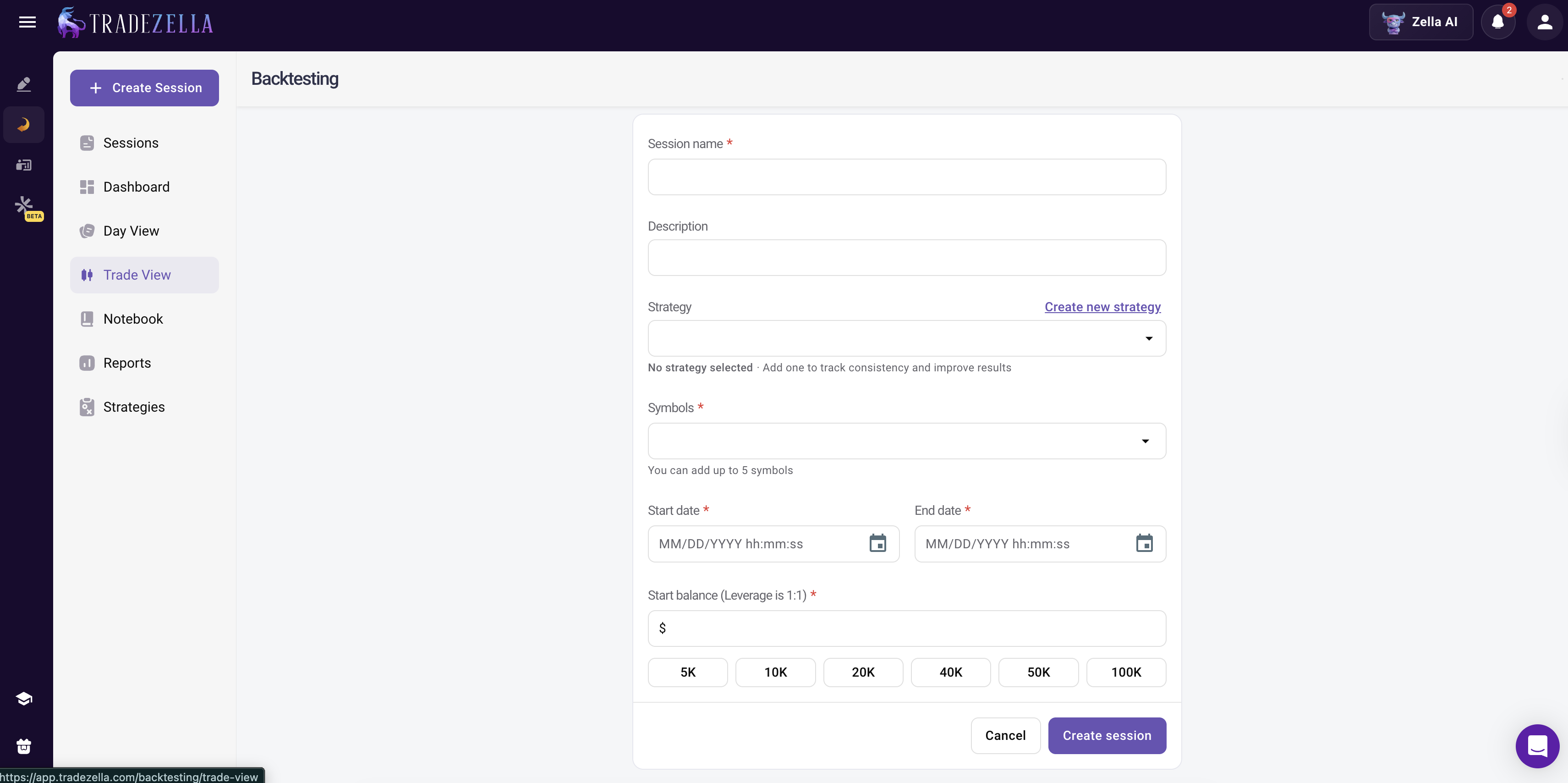
Backtesting Platform For Stocks, Forex, Futures, and Crypto.
Backtesting Platform For Stocks, Forex, Futures, and Crypto.
Most backtesting platforms force you to choose a market. TradeZella handles stocks, forex, futures, and crypto from one dashboard with manual replay, automated plain English rules, and Zella AI analysis, so you can validate any strategy across any market without switching tools.
class SampleComponent extends React.Component {
  // using the experimental public class field syntax below. We can also attach
  // the contextType to the current class
  static contextType = ColorContext;
  render() {
    return <Button color={this.color} />
  }
}
Last Updated: July 15, 2026
A backtesting platform is software that lets you test trading strategies against historical market data before risking real capital. TradeZella is the backtesting platform that handles stocks, forex, futures, and crypto from one dashboard. With both manual bar replay and automated plain English backtesting, plus Zella AI analysis of every result, TradeZella lets you validate any strategy across any market. You can then compare those backtest results to your live trading performance through integrated journaling and 300+ analytics reports.
Most traders cobble together backtesting from multiple tools. One app for charts, another for replay, a spreadsheet for results, and a separate journal for live trades. The problem is not having multiple tools. The problem is that your data gets scattered. When your backtest numbers come from one platform and your live numbers come from another, you cannot trust the comparison. TradeZella puts backtesting, journaling, and analytics in one place so that your backtest results and live results are measured the same way. For a comparison of how TradeZella stacks up against other options, see the best backtesting software guide.
What Can You Backtest on TradeZella?
TradeZella supports backtesting across four asset classes: stocks, forex, futures, and crypto. You do not need separate software for each market.
Stocks. Test strategies during regular trading hours, pre-market, after-hours, or power hour.
Forex. Test across the Asian, London, New York, and Overlap sessions independently. Run the same strategy on all four sessions and compare results to find where your edge is strongest.
Futures. TradeZella handles contract specs automatically for ES, NQ, CL, GC, and micro contracts like MES and MNQ. ICT indicators are built into the charting interface. Filter backtests by RTH, ETH, or specific time windows.
Crypto. Test strategies across Bitcoin, Ethereum, Solana, and other coins on a 24/7 schedule. After backtesting, import live trades from Coinbase, Bybit, or Interactive Brokers for direct comparison.
TradeZella provides 11+ years of historical market data down to the seconds timeframe across all four asset classes. Whether you trade ES futures during the New York session and EUR/USD during the London session, or you swing trade stocks and scalp crypto, one platform means you can compare performance across markets using the same metrics.
Two Ways to Backtest: Manual Replay and Automated Rules
TradeZella gives you two ways to test a strategy, and the best approach usually involves both.
Manual bar replay plays back historical data bar by bar at speeds from 0.5x to 10x. You see the chart unfold and place trades as if you were live. Drag your stop loss and take profit directly on the chart, view up to 5 symbols across 8 charts, and use built-in ICT indicators. Manual replay is best for practicing execution, testing discretionary decisions, and building pattern recognition. For the step-by-step guide, see backtest with TradeZella.
TradeZella Manual Backtesting
Automated plain English backtesting lets you describe your strategy the way you would explain it to another trader. Type something like "buy NQ when price fills an FVG during RTH with a 2:1 risk-reward ratio" or "sell EUR/USD when price breaks below the Asian session low during the London open." TradeZella reads your description, translates it into testable rules, and asks follow-up questions if it needs more detail (which symbol, what time period, what session). Once the setup is confirmed, the platform runs your strategy across years of historical data and generates a full results page. You see win rate, profit factor, max drawdown, expectancy, and an equity curve. You also see every individual trade on the chart with entry and exit markers, so you can click into any trade and review exactly what happened.
TradeZella Automated Backtesting
Pre-built templates are available for ICT setups (fair value gaps, liquidity sweeps, breaker blocks), opening range breakouts, trend following, and mean reversion. Start from a template or write your own rules from scratch. For the full guide, see the automated backtesting hub. For a complete breakdown, see the automated backtesting blog. For a deep comparison of both methods, see manual vs automated backtesting.
The recommended workflow: Use automated backtesting first to validate whether your strategy has a statistical edge across 50+ trades. Check profit factor (above 1.3), positive expectancy, and maximum drawdown below 20%. If the numbers pass, move to manual replay to practice execution. If you are developing a brand-new strategy and cannot define the rules yet, start with manual replay, document your decisions, then translate them into plain English rules for automated testing. You can backtest any strategy type using either method. For discretionary strategies that resist being defined in rules, see backtest without code.
What Does Zella AI Add to Your Backtesting?
Zella AI is TradeZella's built-in AI trading partner. After you run a backtest on any asset class, Zella AI analyzes the results and finds patterns you would miss reviewing the data manually.
Pattern detection. Zella AI scans your results and identifies performance patterns across sessions, setups, and time periods. It might find that your forex strategy produces a 2.1 profit factor during the London session but 0.8 during Asia, or that your ES strategy decays after 11:00 AM. Finding your trading edge is the first step. Zella AI helps you monitor whether that edge holds over time.
Backtest-to-live comparison. When you import live trades, Zella AI compares your backtest expectancy to your live expectancy and identifies where the gap is. If your backtest shows +0.35R per trade but live shows +0.12R, the Session Review agent breaks down whether the gap comes from entry timing, exit timing, sizing, or emotional deviations.
AI agents that do the work for you. The Auto Trade Tagger applies tags to every trade based on criteria you define (session, R-multiple, setup type, asset class), so your backtest trades are organized without manual tagging. The Session Review agent compares your morning plan to your actual results after each trading day. The Market Sentiment Briefing agent creates pre-market scenarios and a trading plan based on how you trade, your assets, and what you look at. These agents work on your completed trade data, not during live sessions.
From Backtest to Live Trading
Backtesting shows that a strategy works in historical data. Live trading shows that it works in your hands. TradeZella bridges the gap by keeping both sets of results in the same analytics engine.
Run your backtest and log it under a Strategy name. Import your live trades from 500+ brokers and tag them with the same Strategy. Open the Strategy comparison report and view your backtest win rate, profit factor, expectancy, and drawdown next to your live numbers. If your backtest showed a 55% win rate and 1.6 profit factor but your live trading shows 48% and 1.1, the gap tells you exactly where to focus.
If your live results come within 15 to 20% of your backtest metrics after 20 to 30 trades, you can increase position size. If they diverge, reduce size and investigate. For the full validation pipeline from backtest to forward test to live, see backtesting vs forward testing.
Prop Firm Traders: Test Before You Pay
TradeZella's Prop Firm Sync and Challenge widget let you backtest strategies against firm-specific rules before paying an evaluation fee. Test on ES futures with Topstep's consistency target, on forex with FTMO's daily loss limit, or with Apex's trailing drawdown. Validate that your results survive the rules first. For the full guide, see prop firm trading.
Key Takeaways
Four asset classes, one platform. Backtest stocks, forex, futures, and crypto from one dashboard with consistent analytics.
Two backtesting methods. Manual bar replay for execution practice. Automated plain English rules for statistical validation across 50+ trades.
Zella AI analysis. Pattern detection, edge decay monitoring, and backtest-to-live comparison across every market.
Same analytics engine. Backtest results and live results sit side by side using the same Strategies, tags, and reports.
11+ years of data. Historical data down to the seconds timeframe. No coding required.
Use TradeZella's free trading calculators to validate position sizing and risk-reward alongside your backtest results.
Frequently Asked Questions
Can I backtest stocks, forex, futures, and crypto on one platform?
Yes. TradeZella supports backtesting across all four asset classes from a single dashboard. Both manual bar replay and automated plain English backtesting work across all supported markets.
Does TradeZella support automated backtesting?
Yes. Write your trading rules in plain English, select your instrument and time period, and TradeZella runs the test across years of historical data. Pre-built templates are available for ICT setups, opening range breakouts, trend following, and mean reversion.
Can I compare backtest results to my live trades?
Yes. TradeZella imports live trades from over five hundred brokers. Your backtest and live performance display side by side using the same analytics engine, so you can compare win rate, profit factor, expectancy, and drawdown directly.
Does TradeZella support prop firm backtesting?
Yes. Prop Firm Sync and the Challenge widget let you test strategies against firm-specific rules including daily loss limits, maximum drawdown, and trailing drawdown before paying an evaluation fee.
Do I need to write code to backtest?
No. Automated backtesting uses plain English rules. Manual bar replay uses point-and-click execution. Neither method requires any programming.
What historical data is available?
TradeZella provides over eleven years of historical market data across stocks, forex, futures, and crypto, with intraday data down to the seconds timeframe.